v0.01 — stardate

Remote user research:

8 ways to test your product

User research. More and more organizations are seeing the value of it. Before you build a product, check whether the intended solution actually solves the problem. When you say it like that it sounds logical, but for a while it wasn't. With the advent of design thinking and design sprints, questioning your end user has become more commonplace.

But what specifically is user research? You approach people who meet certain criteria, decide which questions you want answered, make an appointment and interview the user. In most cases, you let the user click through a prototype or present an existing product. This always yields insights that improve the product, and makes designers - nice by-product - better designers. And because you work with people and want to be able to see how someone experiences your product, of course you do user research face-to-face. At Pixelpillow, we worked hard to make this a standard part of our design process.

And then came corona and Holland went on lockdown.

The government's advice to limit contact with others as much as possible made it no longer possible to go to people's homes to conduct interviews and test prototypes. So we looked for ways in which we could still do user research. And, we found a whole range of tools and methods that can do this remotely.


1.Recruitment

This differs little from how we did it before. Pick up the phone, send an email or a WhatsApp message. Finding a suitable date is often consensual via email or phone, but if it is difficult to find a time because the target audience is busy (think healthcare referrers and owners of handyman companies) "scheduling" tools like date 'datumprikker', Doodle or Calendly can be a godsend.

2.The interview

Ultimately, user research is about talking to the user. If that is no longer possible face-to-face, you will have to do so remotely. For that, both you and the person you will be interviewing will need the following:

Hardware

  • A computer (obviously)
  • An Internet connection that is fast enough. This is important because image calling and screen sharing put quite a load on the connection. And an interfering connection can quickly disrupt an interview.
  • A webcam. Most laptops have a webcam as standard; this is less obvious for desktops. An alternative if the client does not have a webcam is to use the camera on iPad or possibly even smartphone. You can then make image calls via FaceTime (iOS) or Duo (Android), for example.

Software

There are many solutions available for video calls. Most of these are fine (Skype, Zoom, etc.). But many of these services have a drawback: you have to install an app or create an account for them. It's quite something to ask that of your test subject. That's why we switched to whereby.com (free for 1 person) several years ago. This videoconferencing service allows you to send the other person a link that allows them to image call, screen share and chat directly from their browser without having to log in or download an app.

When testing prototypes or applications, it is also important that the interviewee can share their screen, because you want to be able to see how they navigate through the site. It's even nicer if you can see his or her face at the same time, because non-verbal cues also provide a lot of information about the user experience.

Usually, the user needs to give access in order to activate the camera and microphone. It is useful to figure out in advance how to do this on both mac and PC, so you can assist the person to be interviewed with this.

For reporting purposes, it may be useful to record the interview. With Whereby this is possible, but otherwise screen capture tools like screenflow or recordit are also an option. Important: always ask permission from your test subject due to privacy guidelines!

3.Test methods for user research

Not all tests are suitable for remote execution, but many are. We have made an overview of test methods, and the tools you can use to run them online. Sometimes this even has an advantage over face-to-face testing, because the interviewee can do it at a time that suits him/her best.

The interview

The most obvious form of user research: ask the target audience about their needs. Still the most useful form of user research, because you hear directly from the target group what they need or find useful. This at least prevents you from creating what is not needed.

All you need is a questionnaire that you can have filled out online. Think of tools like:

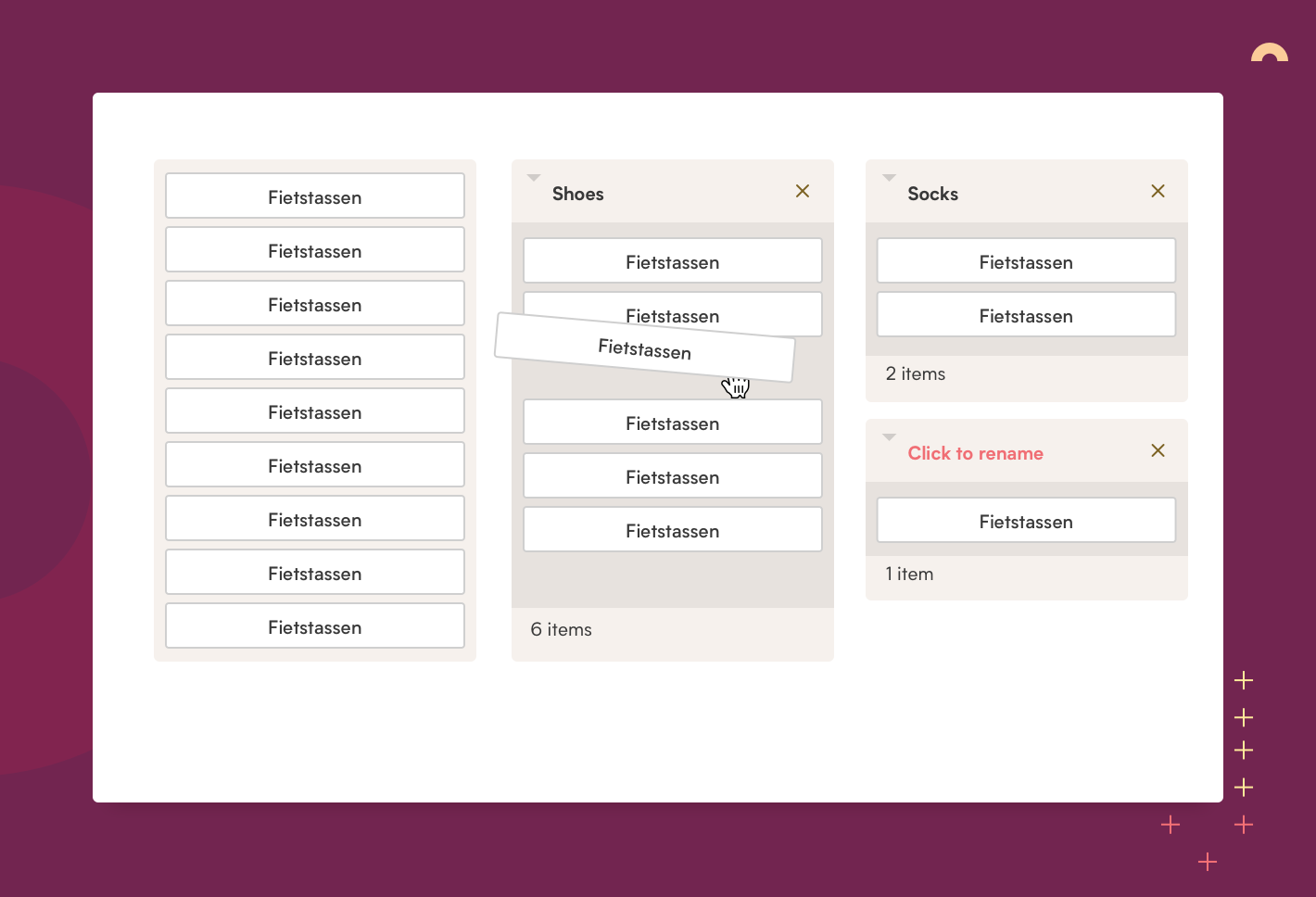
Card sorting

The purpose of card sorting is to find out whether the structure of your site or application is clear and logical to the user. You do this by asking the user to arrange the parts of your site or application in a way that makes sense to him. This prevents you from building the structure too much from your own preferences.

The company 'Optimal Workshop' has a handy online tool for this: OptimalSort.

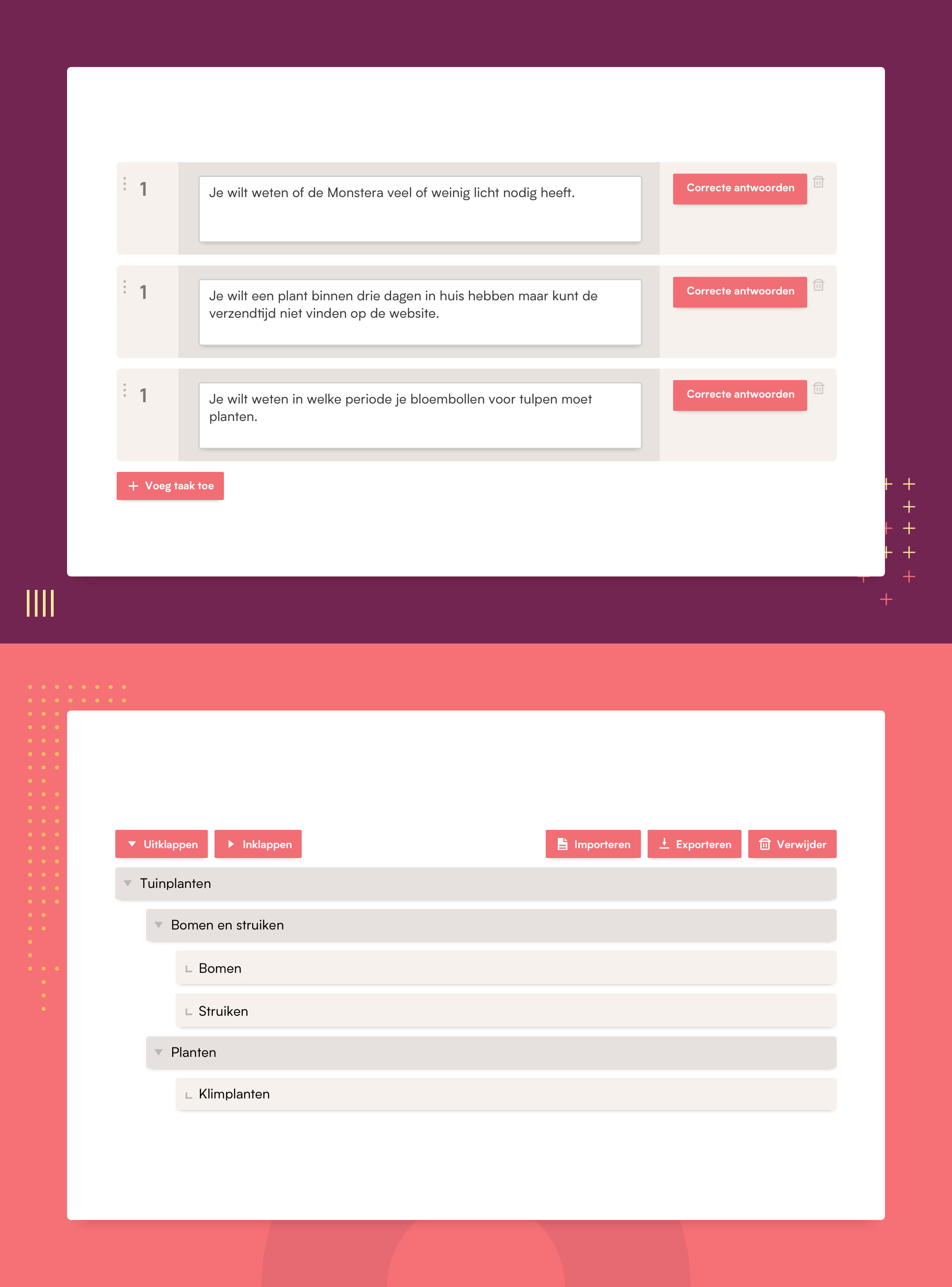
Treetesting

With treetesting you set up your own menu structure and then ask users if they want to search for a certain page. This is a good way to find out if the topics of your website are found by the user. With this, you can immediately see if users are losing their way.

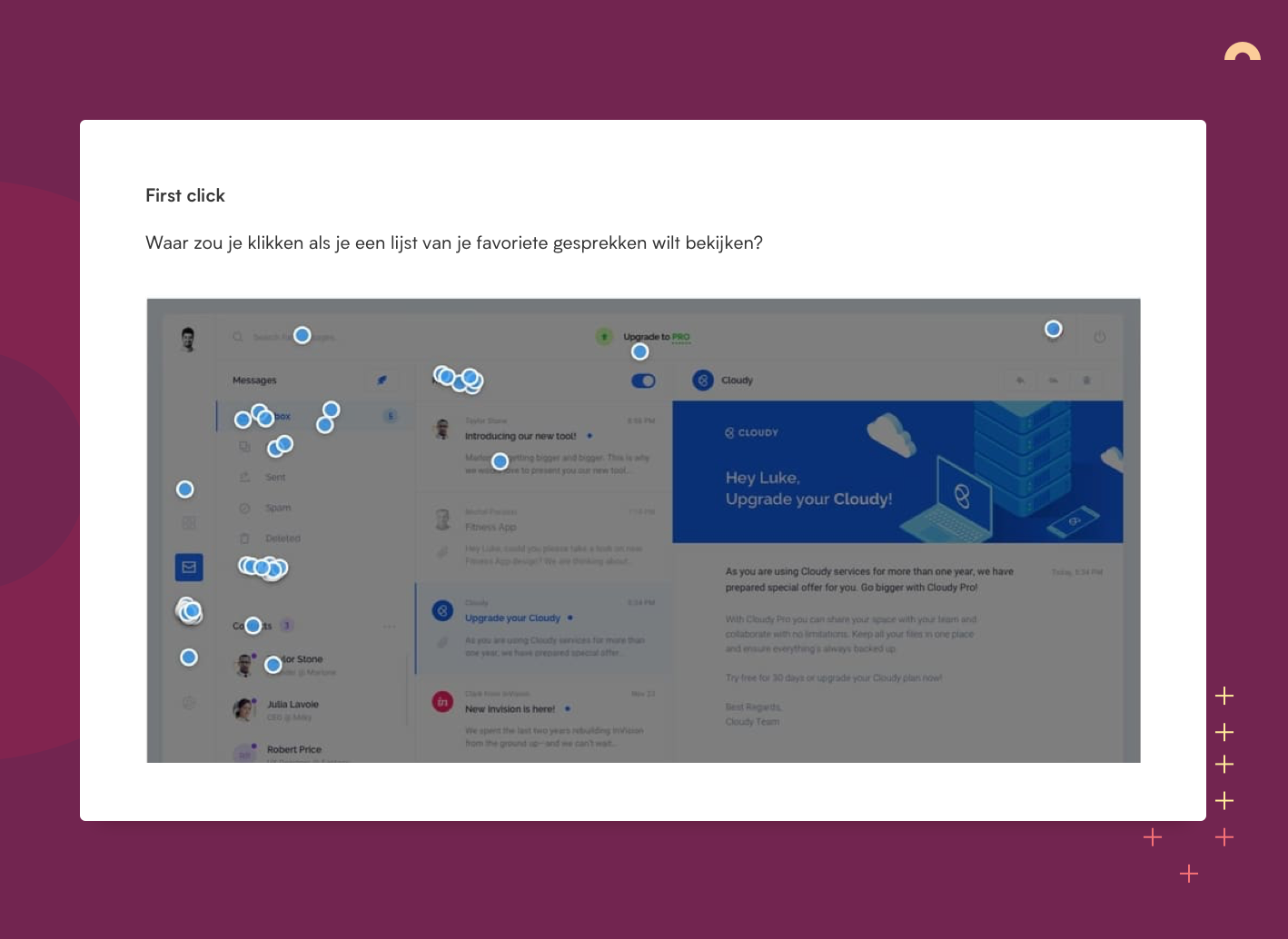
First click testing

In first click testing, you ask a user to perform an action. Such as "order a sneaker. It then records the first link or button the user clicks. The assumption is that a user's first click says a lot about how clear and intuitive the interface is.

Both OptimalWorkshop and UsabilityHub offer an online tool for this:

Five second test

In the "five second test," you show the user a design for 5 seconds. Then you ask what he or she remembered from it. You can ask both 'harder' values (where was the order button located) and 'softer' values (what feeling did this design evoke in you).

Five second tests Usabilityhub

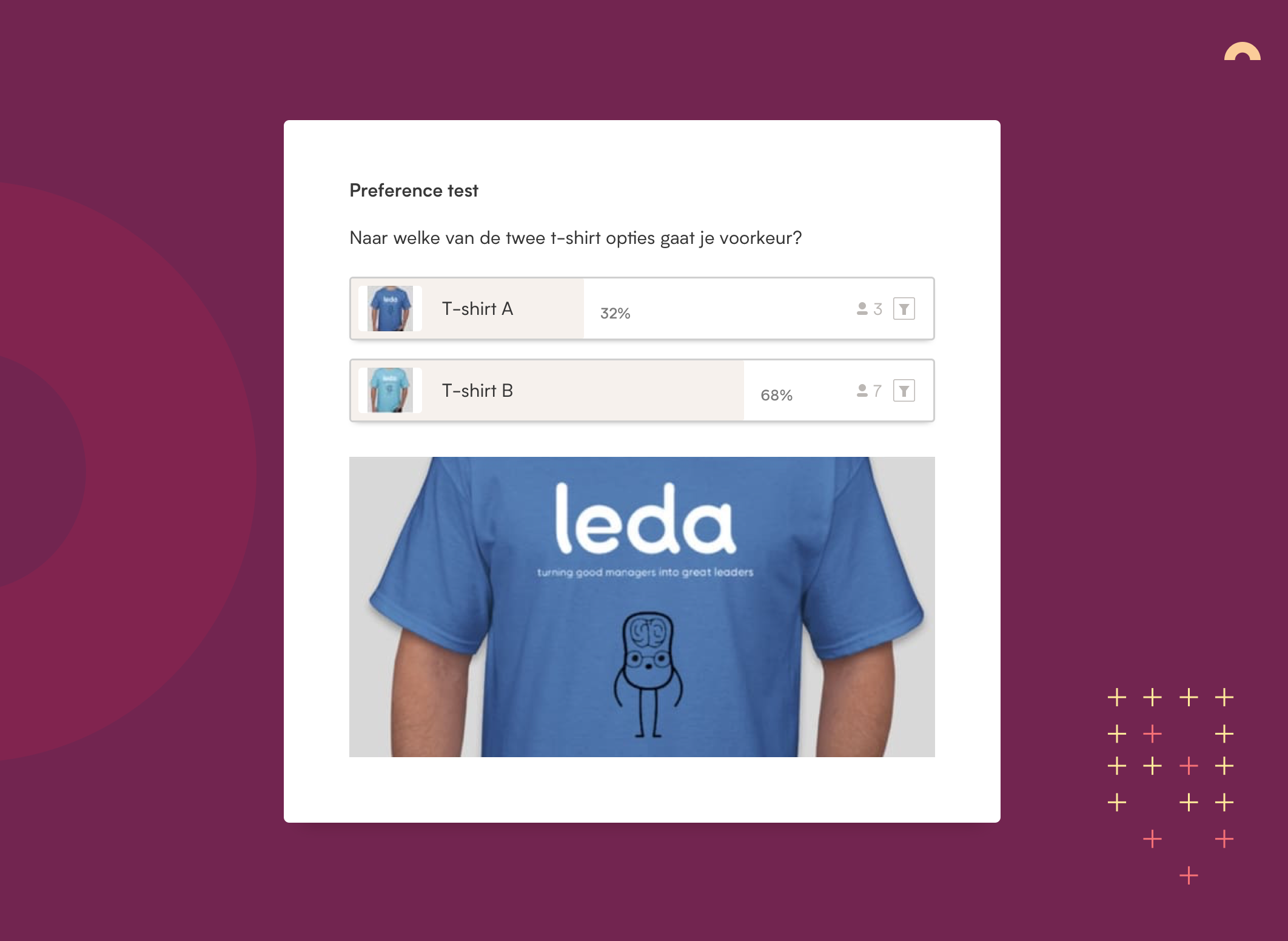
Preference test

The 'preference test' helps you choose the best variant of a design by asking which design appeals most, or is clearest. This test is also very suitable for gauging the more 'subjective' preferences of the target group.

Preference Test Usabilityhub

Brand personality sliders

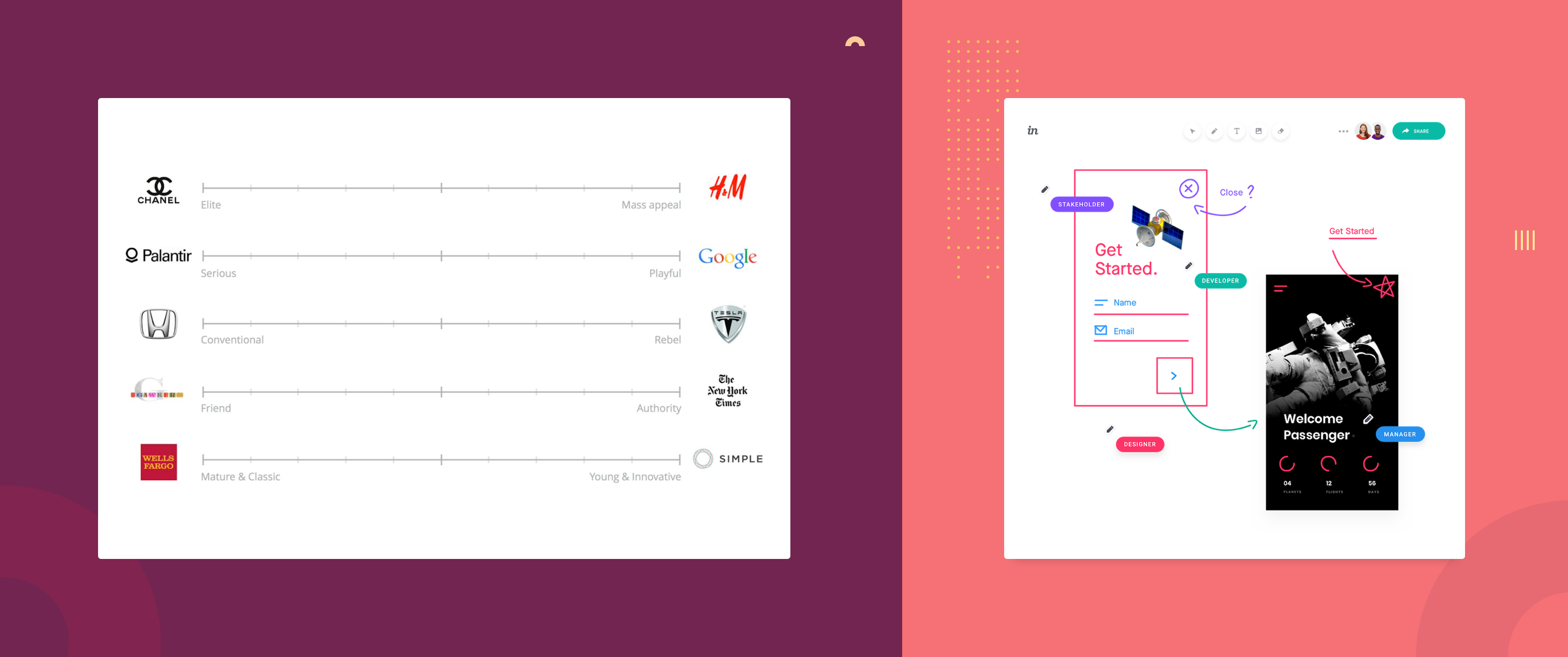
A brand personality test is useful to find out what look and feel your target audience finds appropriate for your brand. Chic? Playful? Businesslike? You test this by comparing two concepts or brands and asking which one they find most fitting.

Freehand from InVision

One way to test this is to share the test online and ask the interviewee to put a dot on the slider. Freehand from InVision is great for this because you can use it to draw together in a design.

Usability research

Usability research normally takes place in a lab, with an interviewer, and a lot of complex equipment, such as eye tracking devices. That is difficult to do remotely. What can be done, however, is to have your prototype or site tested by sending the interviewee a link with a clickable prototype and to be able to watch (and just as important: listen) to it via screen sharing.

Screensharing I already mentioned, for prototyping and testing we ourselves use inVision. There are also other prototyping tools available.

Below is an (incomplete) selection:

Sufficient resources for remote user research.

User research is an essential step in the design process. It would be a shame if the current situation caused us to stop doing it. I hope to have shown there are sufficient resources for remote user research available to ensure that is not necessary.

Captains log

Date
Done
Learned
Hr
03-10-2021
Scribble animations & home onload
Debugged scribble animations.
Isolating timelines makes debugging way faster.
2
Added home onload animation.
Trigger after assets load, not just DOMContentLoaded.
1
26-07-2021
Reader page
Connected Airtable API to new 'reader' page.
Airtable paginates results — need to handle the offset or you'll miss records.
3
Designed and styled the page.
Design with a fixed dataset first, hook up the API after.
2
24-07-2021
Maker page resize
Added onResize event to maker page so titles stay centered.
GSAP breaks CSS positioning.
1
05-07-2021
Date script
Wrote script to automatically display stardate and copyright date.
JS months are zero-indexed. Classic.
2
24-06-2021
Photo selection & title animations
Photo selection and editing.
Less photos, more impact.
2
Title animations.
Conflict between CSS positioning and GSAP is still tricky.
1
23-06-2021
Draggable photos
Made photos draggable.
Went easier than expected.
1
19-06-2021
ScrollTrigger & responsive styling
Implemented ScrollTrigger on maker page.
scrub ties animation progress to scroll position — good for parallax stuff.
3
Responsive fluid styling.
Fluid sizing + CSS custom properties = much less breakpoint juggling.
2
13-06-2021
Stylesheet structure
Refactored stylesheet structure using @import (postcss-import plugin).
Split files are so much easier to navigate than one giant CSS file.
1
Base styling for maker page.
Layout first, cosmetics later. Saves a lot of rework.
2
12-06-2021
CSS & layout refactor
Structured style.css by separating layout, typography and cosmetics.
Separation of concerns in CSS makes debugging way faster.
2
Updated layout content wrapper for more flexibility and added utility classes.
Keep utility classes single-purpose or they get unpredictable fast.
1
10-06-2021
PostCSS & Git
Configured PostCSS to compile all CSS files. Updated config in package.json and eleventy.js.
A glob (*.css) in the build command saves having to list every file manually.
2
Added mixin support to PostCSS via postcss-mixins.
Works like Sass mixins. No need to switch preprocessors.
1
Figured out how to stage files individually and make separate commits in Git.
Cleaner commits, less chaos in the history.
1
30-05-2021
GSAP tooling
Added GSAP code hinting and linting to VS Code.
Autocomplete for GSAP methods saves a surprising amount of time.
1
29-05-2021
Animation & positioning
Researched animation layout, positioning and performance. Did Codepen experiments.
Differences between animating left/top/right/bottom vs translateX/translateY, and how this translates to GSAP values.
3
22-05-2021
Changelog layout and animation
Animated changelog width and position based on vw.
Use the same positioning system in GSAP as in your stylesheet, otherwise unexpected effects. Don't set left: 100vw in CSS and then use x: 300 in GSAP.
1
Fixed scrolling changelog layover (codepen) using GSAP DrawSVG plugin.
Using only opacity for a layover is a bad idea — the element stays clickable when invisible. Always place an actual DOM element on top.
2
Designed homepage scribbles.
Colors are hard.
1
27-03-2021
SVG animations homepage
Attempted to implement SVG animations in Eleventy.
Failed. Eleventy appears to modify SVG markup during build. To be continued.
2
Animated 'scribbles' SVGs (codepen) using GSAP DrawSVG plugin.
DrawSVG cannot animate external SVGs. Inline SVGs cannot be used as CSS backgrounds or pseudo-elements.
2
Designed homepage scribbles.
Colors are hard.
1
22-03-2021
CSS Grid
Styled changelog table using CSS Grid.
CSS Grid positioning.
2
Designed changelog table.
What looks simple in design is sometimes hard in practice.
1
11-03-2021
Templating
Implemented Nunjucks templates and partials for footer, header, content and changelog.
Terminal error messages save a lot of time — if you actually read them. Both .md and .html files work as a base. What frontmatter is.
3
Researched templating languages.
How Nunjucks and Liquid work and how to set up a basic structure.
1
25-02-2021
Motion!
Animated menu, changelog and links.
GSAP x:0 is not absolute 0 — it's 0 from the element's starting position in the DOM. If CSS sets left: 100px, GSAP x:0 animates to 100px.
4
22-02-2021
Link animations & stagger
Animated Captain's log link.
How to remove an event listener using removeEventListener.
2
Added stagger animation to changelog.
GSAP stagger animates a list in sequence with barely any code.
1
18-02-2021
Setting up typographic foundation
Implemented fonts and styling for responsive typography.
Nothing new.
2
Set up a fluid typography system. Worked on homepage text and styling.
How to use clamp() to scale type fluidly between a min and max.
4
17-02-2021
Setting up personal site framework
Set up Eleventy as static site generator.
How to configure Eleventy using the terminal.
4
Gitlab setup.
What an SSH key is and why you need one. How to commit directly from VS Code.
2