v0.01 — stardate

Between functionally nondescript and unusable distinctive

At Pixelpillow, we want the user to have a great user experience. That starts with preventing frustration (we also call it 'frictionless'). But that is just the beginning: the next step is to ensure that the user 'likes' it, is surprised, amazed or even inspired, In other words: enjoys using it. And in addition, we also want it to be distinctive and proprietary, so that it reinforces the brand experience.

There is an area of tension between these goals - removing friction and being distinctive or surprising. Because you reduce friction mainly by using conventions. The user knows these, so it takes little (mental) effort to perform a task.

But if you want to be surprising and distinctive, you quickly arrive at unconventional solutions. Which promptly reduce usability.

It seems like a catch-22: conventional sites quickly become generic, lacking in distinction and boring. 'Functionally nondescript', in other words. And original, unique sites are usually not user-friendly, in other words: 'unusable distinctive'.

Functionally nondescript
Unusable distinctive

In a related field - that of architecture - one encounters a similar discussion. On the one hand, the visionary modernists who want change and individuality but often ignore the user in doing so, and on the other, the architects who put the users interests first and therefore wants to build on familiar patterns. In recent years, the latter group in particular has started to speak out increasingly clearly in favour of a more 'user-centred' approach:

.. on the one hand, there is the architectural avant-garde, led by His Remness Rem Koolhaas, and on the other, the suckers who design residential areas in retro style. These have become completely separate circuits. The architects in both camps, so to speak, hardly feel they belong to the same profession any more.

Hans van der Heijden - architect, publicist and former visiting professor at the University of Cambridge

Those buildings are generally abstract in design, and that abstract form is the code of that group of architects, with which they have lost all touch and contact with people. These architects are also not at all interested in what people think.

Sjoerd Soeters, urban architect

The above quotes paint a picture of two incompatible visions. But is this true?

The right balance

At Pixelpillow, we think design is a service profession, aimed at making the user's tasks as easy as possible. But we also think it's important to innovate, surprise and be our own. So we think it's important to ask ourselves with every project: How do we strike the right balance between functionally nondescript and unusable distinctive? How do we make something special without sacrificing usability? Let's look at the tools we have for that:

How do we find the right balance between functionally nondescript and unusable distinctive?

01.Individuality through a distinctive design

We can try to look for uniqueness in elements that do not affect function. For example, in photography, use of colour and graphics. You then separate that which matters for frictionless operation from that which provides individuality.

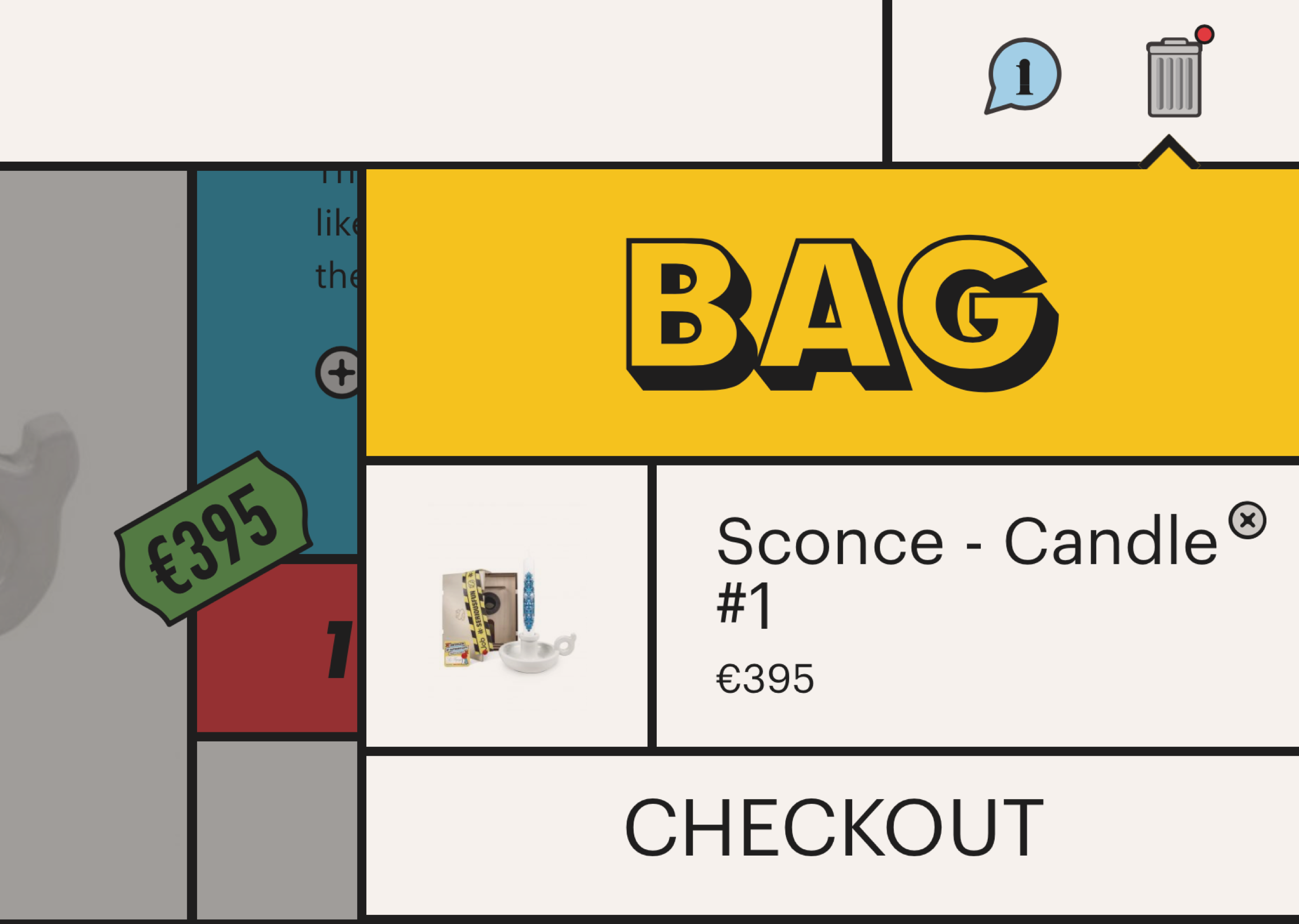
Studio Job uses a completely unique design but follows familiar ecommerce conventions for interaction.

02.Individuality through distinctive language

A unique tone of voice in microcopy and longer texts can create a special user experience.

This solution is slightly riskier, because copy and usability touch more. If instead of 'portfolio, about us, contact' you rename the menu items to 'what, who, where', it might be more original, but you are asking more of the user. This can be solved by pairing a more poetic use of language with practical and clear language. As Ueno.co does below.

Urban Daddy makes online shopping a special experience just through the texts on their site.
Ueno is star at choosing an original approach in language use. It says a lot about the type of company they are.

03.Uniqueness by compromising on usability

This is obviously swearing in church, but is usability equally important with every type of site or application? For a site for a hip clothing brand with a young target audience, experience and uniqueness might be more relevant than a super-clear navigation structure.

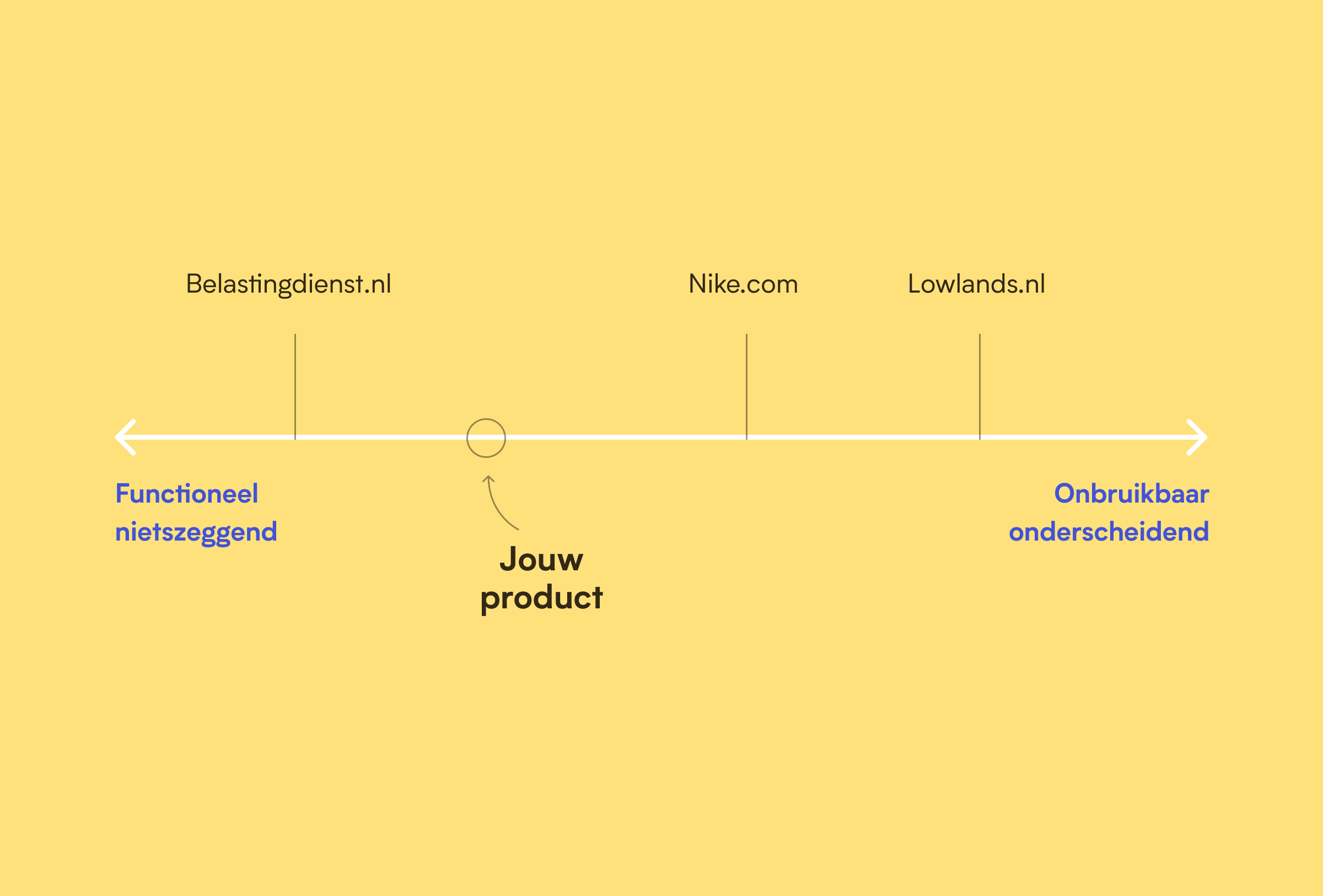
What if we made it depend on the goal and target audience? For example, by trying to position the product on the next line in the orientation phase, with the client and the team. Then, depending on this choice, you can then focus a bit more on distinctiveness one time, and usability the next.

04.Testing for both usability and experience

We are used to testing our designs for usability (does the user understand how it works?). But it is just as important to also validate whether the experience matches the brand, and whether the product is distinctive and therefore 'memorable'. One way to test this is a 'Desirability test', where you focus the questions more on the 'feeling' a user has with your product.

Circlink Back to architecture ...

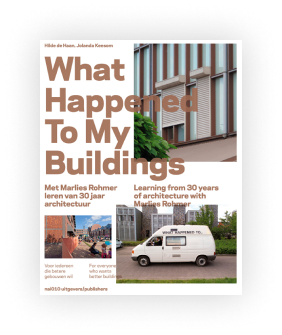
Of course it's always a good idea to check again after realisation whether what has been thought up is being used as intended. And make adjustments where necessary. Like architect Marlies Rohmer did, when she went back to the buildings she designed after a 25-year career. In the book 'what happened to my', she describes the sobering experience of seeing how users have adapted her buildings to everyday use.

Captains log

Date
Done
Learned
Hr
03-10-2021
Scribble animations & home onload
Debugged scribble animations.
Isolating timelines makes debugging way faster.
2
Added home onload animation.
Trigger after assets load, not just DOMContentLoaded.
1
26-07-2021
Reader page
Connected Airtable API to new 'reader' page.
Airtable paginates results — need to handle the offset or you'll miss records.
3
Designed and styled the page.
Design with a fixed dataset first, hook up the API after.
2
24-07-2021
Maker page resize
Added onResize event to maker page so titles stay centered.
GSAP breaks CSS positioning.
1
05-07-2021
Date script
Wrote script to automatically display stardate and copyright date.
JS months are zero-indexed. Classic.
2
24-06-2021
Photo selection & title animations
Photo selection and editing.
Less photos, more impact.
2
Title animations.
Conflict between CSS positioning and GSAP is still tricky.
1
23-06-2021
Draggable photos
Made photos draggable.
Went easier than expected.
1
19-06-2021
ScrollTrigger & responsive styling
Implemented ScrollTrigger on maker page.
scrub ties animation progress to scroll position — good for parallax stuff.
3
Responsive fluid styling.
Fluid sizing + CSS custom properties = much less breakpoint juggling.
2
13-06-2021
Stylesheet structure
Refactored stylesheet structure using @import (postcss-import plugin).
Split files are so much easier to navigate than one giant CSS file.
1
Base styling for maker page.
Layout first, cosmetics later. Saves a lot of rework.
2
12-06-2021
CSS & layout refactor
Structured style.css by separating layout, typography and cosmetics.
Separation of concerns in CSS makes debugging way faster.
2
Updated layout content wrapper for more flexibility and added utility classes.
Keep utility classes single-purpose or they get unpredictable fast.
1
10-06-2021
PostCSS & Git
Configured PostCSS to compile all CSS files. Updated config in package.json and eleventy.js.
A glob (*.css) in the build command saves having to list every file manually.
2
Added mixin support to PostCSS via postcss-mixins.
Works like Sass mixins. No need to switch preprocessors.
1
Figured out how to stage files individually and make separate commits in Git.
Cleaner commits, less chaos in the history.
1
30-05-2021
GSAP tooling
Added GSAP code hinting and linting to VS Code.
Autocomplete for GSAP methods saves a surprising amount of time.
1
29-05-2021
Animation & positioning
Researched animation layout, positioning and performance. Did Codepen experiments.
Differences between animating left/top/right/bottom vs translateX/translateY, and how this translates to GSAP values.
3
22-05-2021
Changelog layout and animation
Animated changelog width and position based on vw.
Use the same positioning system in GSAP as in your stylesheet, otherwise unexpected effects. Don't set left: 100vw in CSS and then use x: 300 in GSAP.
1
Fixed scrolling changelog layover (codepen) using GSAP DrawSVG plugin.
Using only opacity for a layover is a bad idea — the element stays clickable when invisible. Always place an actual DOM element on top.
2
Designed homepage scribbles.
Colors are hard.
1
27-03-2021
SVG animations homepage
Attempted to implement SVG animations in Eleventy.
Failed. Eleventy appears to modify SVG markup during build. To be continued.
2
Animated 'scribbles' SVGs (codepen) using GSAP DrawSVG plugin.
DrawSVG cannot animate external SVGs. Inline SVGs cannot be used as CSS backgrounds or pseudo-elements.
2
Designed homepage scribbles.
Colors are hard.
1
22-03-2021
CSS Grid
Styled changelog table using CSS Grid.
CSS Grid positioning.
2
Designed changelog table.
What looks simple in design is sometimes hard in practice.
1
11-03-2021
Templating
Implemented Nunjucks templates and partials for footer, header, content and changelog.
Terminal error messages save a lot of time — if you actually read them. Both .md and .html files work as a base. What frontmatter is.
3
Researched templating languages.
How Nunjucks and Liquid work and how to set up a basic structure.
1
25-02-2021
Motion!
Animated menu, changelog and links.
GSAP x:0 is not absolute 0 — it's 0 from the element's starting position in the DOM. If CSS sets left: 100px, GSAP x:0 animates to 100px.
4
22-02-2021
Link animations & stagger
Animated Captain's log link.
How to remove an event listener using removeEventListener.
2
Added stagger animation to changelog.
GSAP stagger animates a list in sequence with barely any code.
1
18-02-2021
Setting up typographic foundation
Implemented fonts and styling for responsive typography.
Nothing new.
2
Set up a fluid typography system. Worked on homepage text and styling.
How to use clamp() to scale type fluidly between a min and max.
4
17-02-2021
Setting up personal site framework
Set up Eleventy as static site generator.
How to configure Eleventy using the terminal.
4
Gitlab setup.
What an SSH key is and why you need one. How to commit directly from VS Code.
2